On-On, hashers! If HashSpace looks different today, that’s on purpose. Over the past week we rebuilt a big chunk of the site: a new look with dark mode, a new events system, and a simpler way to join. Here’s what changed for you.
A fresh new look
The whole site has a new design, launched October 5. It’s cleaner, faster and easier to read on a phone.
- New style. An updated navy and blue scheme.
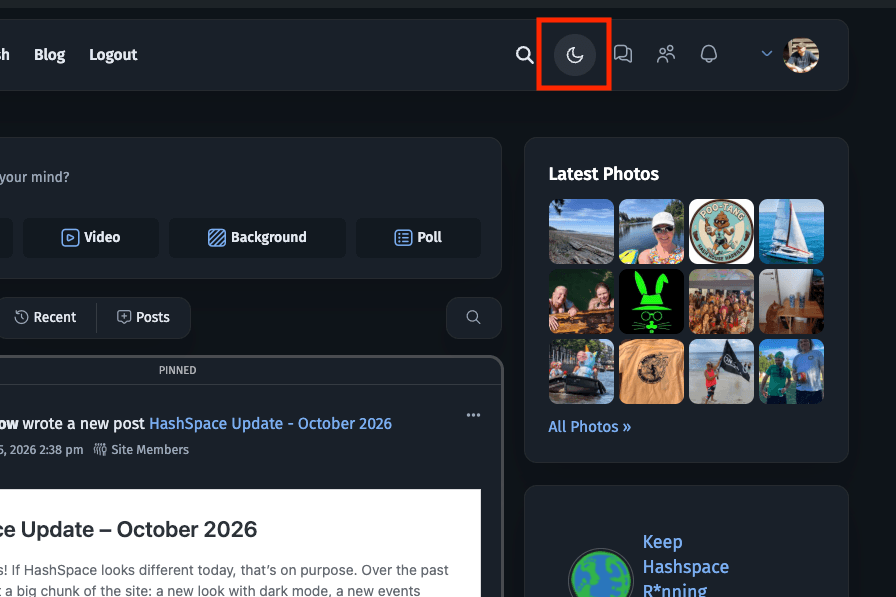
- Dark mode. The site follows your phone or computer’s light or dark setting. Prefer one over the other? Use the switch in the header and the site remembers your choice on that device.
- Sidebars. When you’re signed in on a computer, a left sidebar on every page shows your profile card with easy access to all your content, the Invite Other Hashers tool, and our current fundraising progress. The Activity Stream also has a right sidebar with the latest photos and group discussions.
- Tidier menus. Pages that weren’t being used, or no longer worked, have been retired.
A better Events page
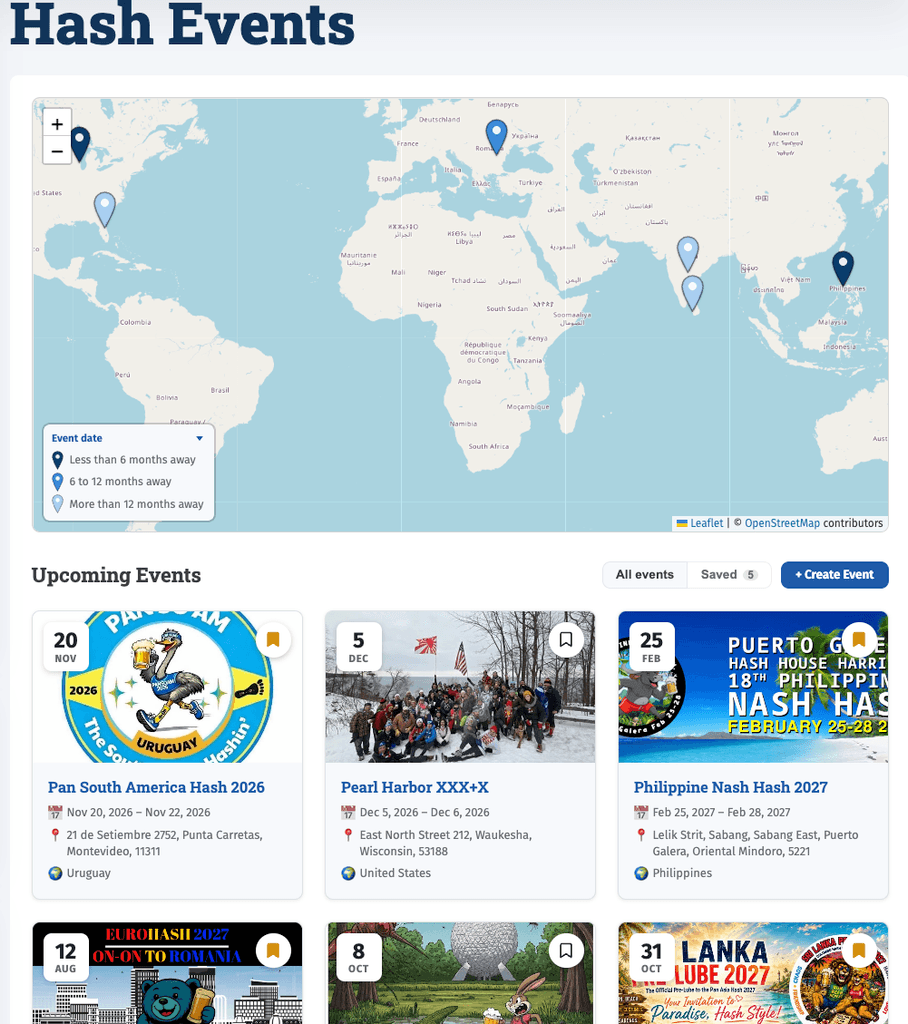
Events now run on a system built for HashSpace, live since October 3. All current upcoming events have been carried over, and old event links still work where they can.
- Save events. Tap the bookmark on any event to save it, then filter the Events page to show only your saved ones.
- Events on your profile. Your profile has a new Events tab listing what you’ve posted and saved.
- Events in groups. You can now link events to up to two HashSpace groups so that events have an easy place for conversation and pictures. You will find a link to the group(s) on the individual Event page and you will find a link to the event on the Group page under the Event tab.
- Easier posting. A Create Event button sits right on the Events page, with a friendlier date picker and a map that pins the location properly.
- Event announcements. When an event is posted, it is displayed in the activity feed for other members to see.
Joining and signing in
HashSpace is still invite-only, but getting in is simpler since October 2.
- One sign-in page. The front page is now where you sign in.
- Invite codes still work. New members with an invite code sign up and are logged straight in, with no waiting for approval and no confirmation email.
- Members of the old HashSpace (2008–2015). Enter the email you used back then on the sign-up page. If we find it, you’ll get a personal invite by email, valid for 30 days.
- Invite your friends. The Invite Other Hashers tool in the sidebar has been tidied up and works in light and dark mode.
- Privacy Policy and Terms. Both are now linked in the footer, and new members agree to them when signing up.
Other improvements
- Old HashSpace photos. Looking for your photos from 2010–2015? Request them yourself from the photo post and get an access link by email.
- Travel Tracker. Slight improvements to the maps being used.
Tell us what you think
This was a lot of change in one week, and something may have slipped through. If a page looks wrong, a button doesn’t work or you just miss something, post in the Activity Stream or email admin@hashspace.com. On-On!