We’ve all been there. You’re stuck in an airport for four hours, nursing a $14 beer and staring at the departures board. The next day you find out another hasher was two gates away doing the exact same thing. What a waste of a perfectly good drinking opportunity.
The Airport Check-In H3 group has been around on HashSpace (as well as the original Facebook group) for a while to fix exactly this, but it depended on somebody happening to see your post at the right moment. So I built the group a proper tool. Think of it as a kennel where the trail is a moving walkway, the hares are always delayed, and the On After is whichever bar is closest to your gate.
Airport Check-Ins is live now on the Check-ins tab of the group. You tell HashSpace when you’ll be at an airport, and HashSpace tells you which other hashers will be there at the same time. Any signed-in member can use it, whether or not you’ve joined the group.
A note on the screenshots: every hasher and visit below is made up. If Lost Luggage or Tray Table Dancer happens to be your actual hash name, my condolences.
Beer near: the Check-ins board
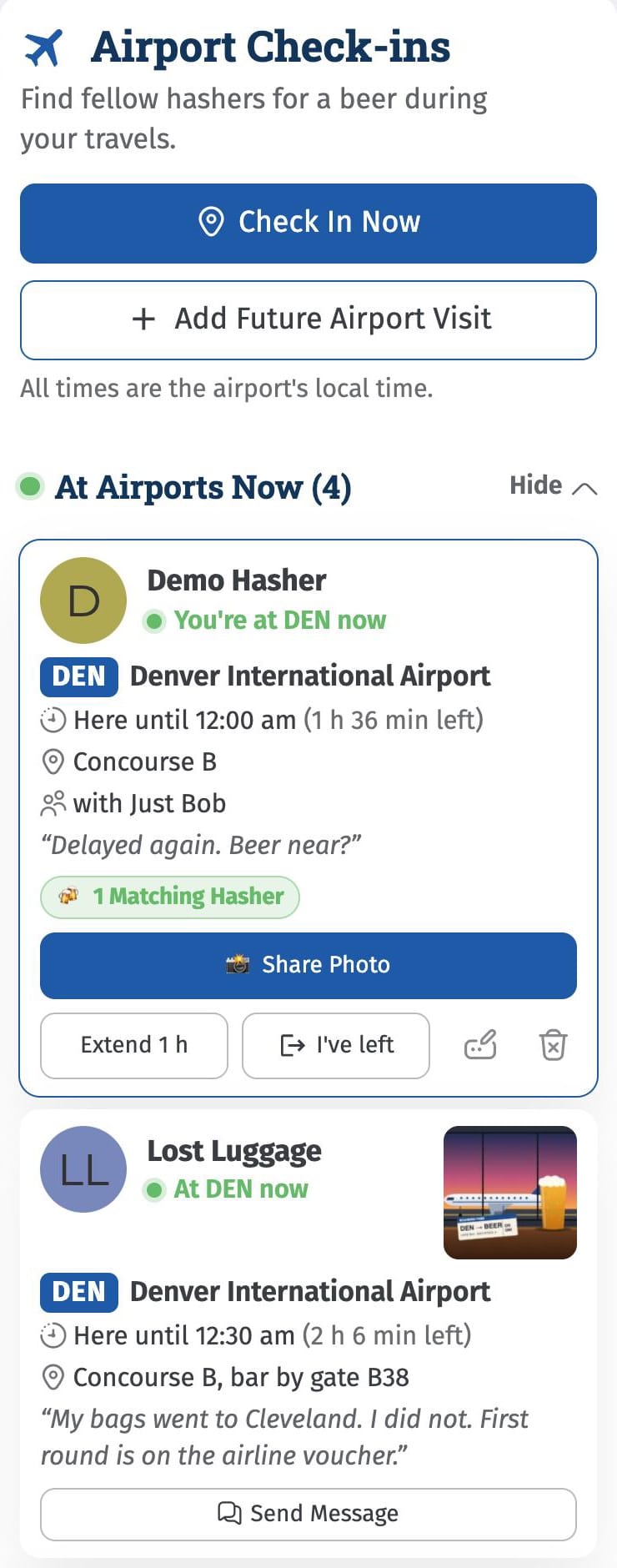
The board is where it all happens. At Airports Now shows who is at an airport at this very moment, how long they’re sticking around, where in the airport to find them and who they’re with. All times are in the airport’s local time, so nobody has to do time zone math after their third beer.
Checking in from the airport
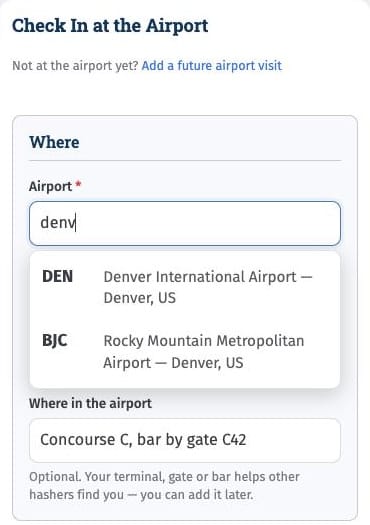
Tap Check In Now. If you let your phone share your location, the airport fills itself in. Otherwise, start typing the code or city and pick from about 4,000 airports. Then say how long you’ll be there. That’s the whole job. The rest is optional:
- Where in the airport: your terminal, gate or (let’s be honest) bar or lounge.
- Travelling with: tag other HashSpace members, or type in the name of a hasher who isn’t on HashSpace. Yes, even Just Bob.
- Photo and post text: proof of beer, plus whatever you want to say about it.
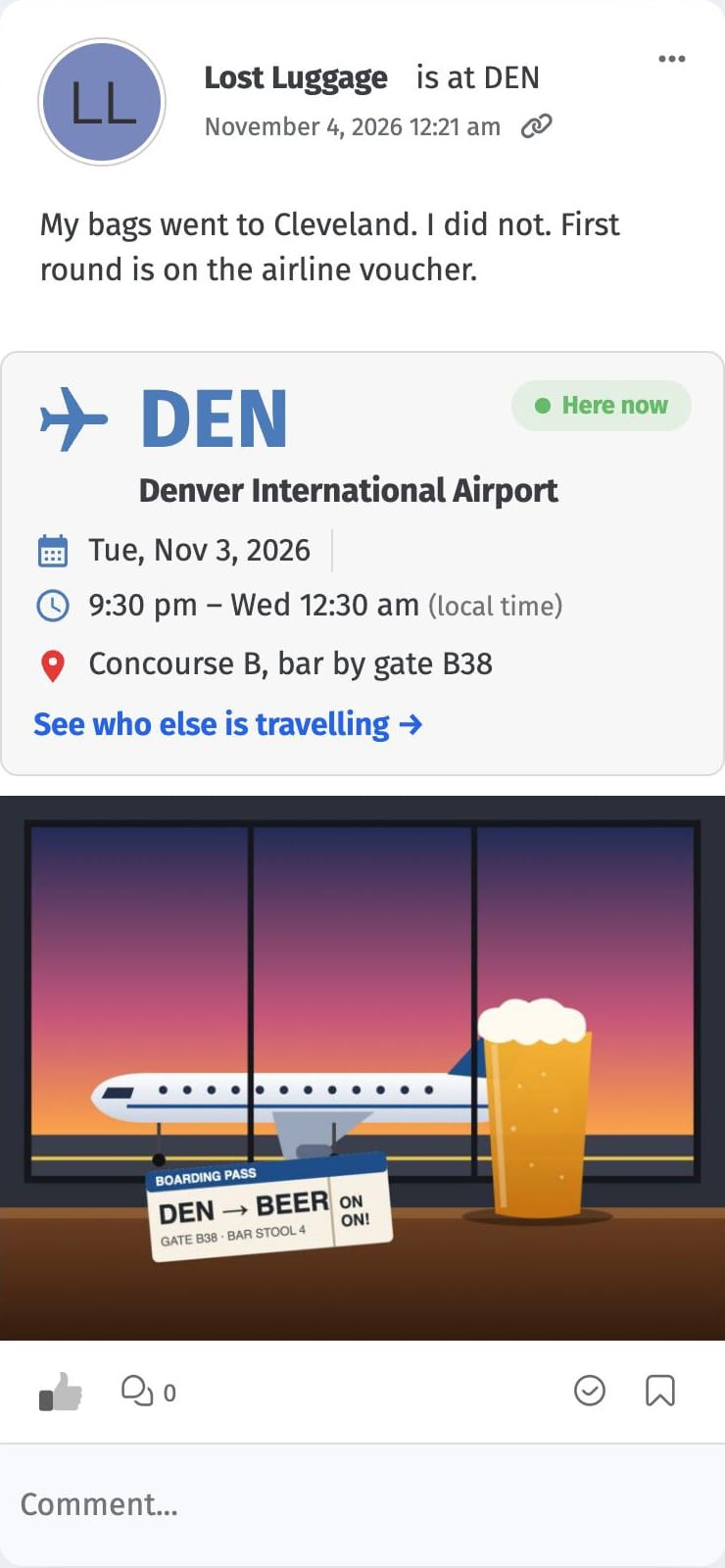
Your check-in goes on the board and posts to the group feed with an airport card, your photo and a link back to the board. Fellow hashers can Like it, comment on it and heckle you in the usual way.
Flight delayed again? Tap Extend 1 h. Made your escape? Tap I’ve left. The pencil and trash can icons on your card edit or delete the visit if your plans change.
Planning ahead
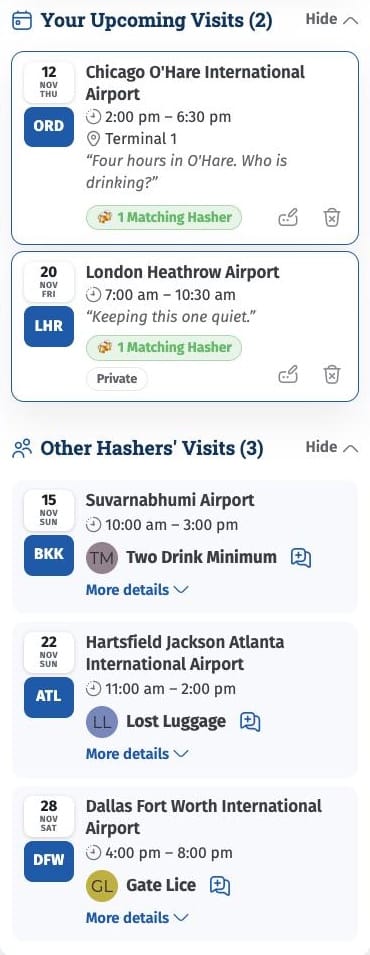
Know about that layover in advance? Tap Add Future Airport Visit, pick the airport, the date and your times, and you’re on the board up to a year ahead. Nothing goes in the group feed unless you ask for it, so you can quietly plan now and share a photo when you get to the airport.
You get a reminder when your visit starts to check-in and post a message and photo to the Group feed. Your card also gives you I arrived early and Delayed buttons, and I expect one of those to get a lot more use than the other.
Your Matches: the whole point
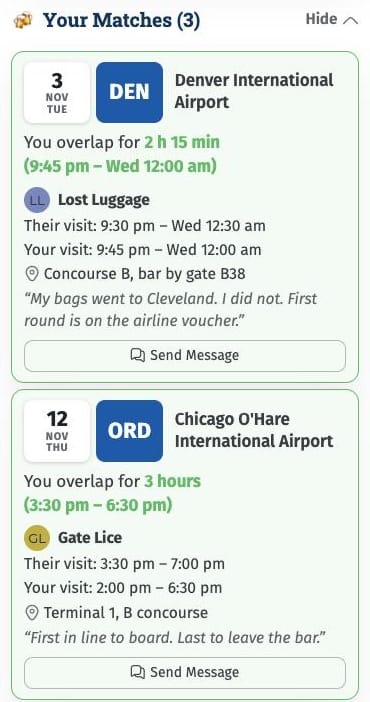
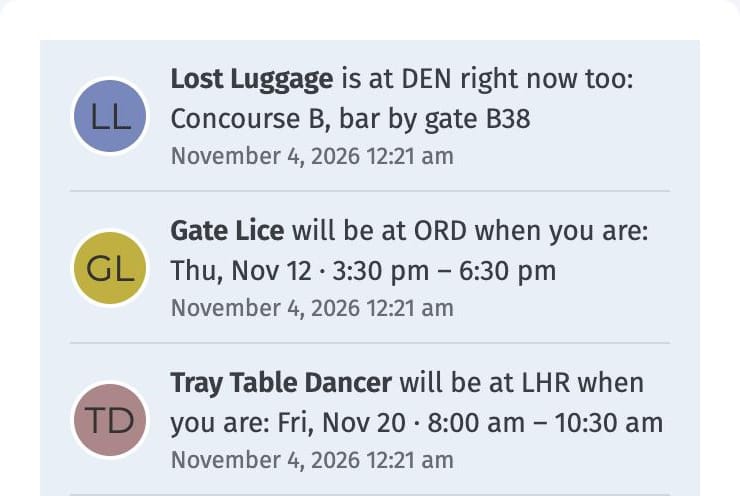
Here’s where the magic happens. When your visit overlaps another hasher at the same airport, HashSpace tells you. Your Matches shows how long you overlap, the exact window and where they’ll be. Send Message opens a private message with a greeting already written, so all you have to do is hit send and find the bar.
What happens at the gate stays at the gate
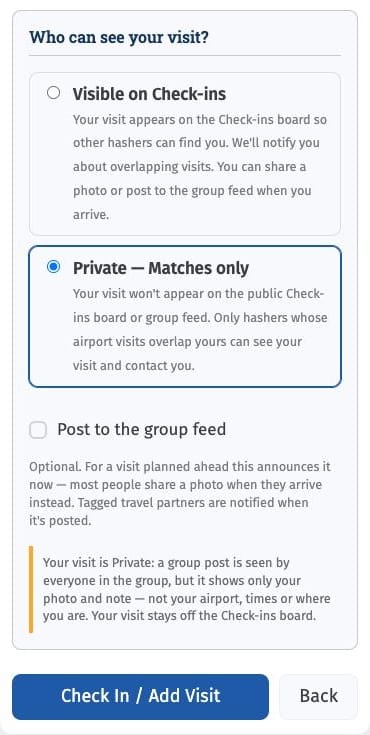
Not everybody needs to know you’re in Vegas again. Choose Private — Matches only and your visit stays off the board. Only hashers whose visit overlaps yours at the same airport can see it, and you’re each told about the other. If you share a photo to the group from a Private visit, the post shows your photo and your text, never the airport, the times or where you are.
A few other things worth knowing:
- Location data is removed from your photos before they’re saved.
- Use my location finds the nearest airport on your own device. Your location isn’t sent to HashSpace.
- Members you’ve blocked don’t see your visits, and you don’t see theirs.
- Visits are deleted 30 days after they end. A group post stays until you delete it.
Alerts, but not in your inbox
You’ll get a HashSpace alert when someone will be at the same airport as you, when your time together begins, and when your own visit starts. They show up on the site and in the app, never by email, because your inbox has suffered enough. You can switch each one off in your notification settings.
On-On to the airport
- Sign in to HashSpace and go to the Airport Check-In H3 group.
- Open the Check-ins tab.
- Tap Check In Now or Add Future Airport Visit.
- For every button and setting, read the Airport check-ins help article.
The more hashers who use it, the better it works, so add your next trip even if it’s months away. Next on my list is a “We met!” button and a leaderboard, because hashers can turn anything into a competition.
Give it a try on your next trip and tell me what you think. If something doesn’t work, post in the group or email admin@hashspace.com.
On On!